
 Contact
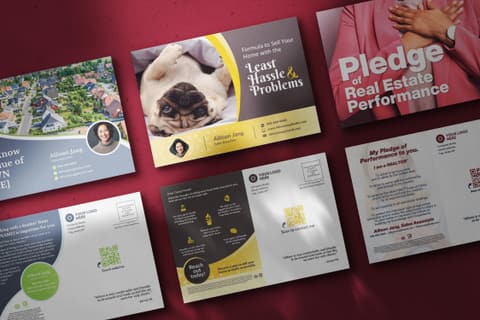

EDDM Postcards
Upload your design
Upload print-ready artwork for the front and back. An L&B Direct Mail Expert reviews every direct-mail file before it goes to print.
File Requirements
- Front and back are both required. The back is the mailing side: keep its top-right corner clear for the USPS postage mark (indicia) and the “Postal Customer” line.
- Minimum 300 DPI at final print size
- Include 0.125" bleed on all sides
- Accepted formats: JPG, PNG, WebP, TIFF, PDF
- CMYK color mode recommended (RGB files will be converted)
- Bleed. Extend background art 0.125″ past the trim on every side. Your file is 9.25 × 6.5 in.
- Trim. The finished size, 9 × 6.25 in. This is where the cut falls.
- Safe area. Keep text, logos and QR codes at least 0.125″ inside the trim.
- USPS indicia area. USPS permit imprint — the indicia that replaces a stamp. Keep this corner of the back (address side) clear; L&B places it.
File: 9.25″ × 6.5″ at 300 DPI · CMYK · PDF preferred. The downloadable template has the same bleed, trim and safe lines, and marks the same USPS postage area.
Step 1: Set the file up at the final size, with bleed
Make the document the trim size plus 0.125″ on every side — 6.5″ × 9.25″ for the 6.25" × 9" EDDM postcard; every other size follows the same rule, its trim plus 0.125″ on each side. Run background colour and photos to the very edge; keep text, logos and QR codes 0.125″ inside the trim. The print template from the upload step has the bleed, trim and safe lines drawn on it for the EDDM postcard chosen in Size — its button names that size and changes with it; coming from the Route Picker or the EDDM Postcards page it opens on the size you chose there. An Addressed postcard's upload has no template: set the document up yourself by the same rule — its trim plus 0.125″ on each side — and check the size before you export. For an EDDM postcard, the back is the mailing side: keep its top-right corner clear for the USPS postage mark (indicia) and the “Postal Customer” line.
Step 2: Check the photos before you export
A photo needs 300 DPI at the size it prints. The simplest check is the pixel size: for the 6.25" × 9" postcard a full-bleed image needs at least 1950 × 2775 pixels, and an image used at half the width needs half the pixels across. Look at the original file’s properties, not a copy saved from a website, an email or a screenshot. Enlarging a small image in your design program does not add detail. Logos and text are best as vector artwork in a PDF, which has no resolution to run out of.
Step 3: Export, then open the upload step
Export as JPG, PNG, WebP, TIFF, PDF — a PDF keeps vector text sharp; a JPG or PNG is fine for a finished image. The file can be up to 50 MB. Then open Upload Your Design: from the EDDM Postcards page or a campaign, or from the Route Picker’s “Upload My Design Instead” once you have chosen routes. Set Size to the postcard the file was made for, and choose the Paper.
Step 4: Upload the front, then the back
Click an upload area and choose the file, or drop it onto the area. A progress bar runs while it uploads; when it finishes, the area becomes a card with your image and “Uploaded” and the file size beneath it. A PDF shows its first page once it has been drawn. Remove swaps the file for another. An EDDM postcard needs both sides before you can continue.
Step 5: Read the resolution check
For a JPG, PNG or WebP, the page measures the image’s pixels against the Size you chose, with the bleed. Above the minimum, nothing appears. Below it, an amber box, Low resolution detected, names the side and the resolution it measured. You can still continue, but the image may print soft; if you have a larger original, Remove the file and upload that instead. A PDF is not measured here, and in most browsers a TIFF is not either: a PDF shows no message, and a TIFF the browser cannot read gets a grey line under the cards saying so — not measured, not passed; their images are checked in the readiness review.
Step 6: Review Design, then continue
Review Design shows both sides large, with a line for each: green when the image meets the minimum, amber when it is below. Check the names, phone numbers, URLs, dates and offer as well — what you continue with is what prints, after the review. An L&B Direct Mail Expert reviews every direct-mail file before it goes to print. Then Choose Neighborhoods if you have not chosen them yet, or Approve & Add to Cart if you came from the Route Picker; Change Files goes back to swap a side.