
 Contact



Your account shows each stage: artwork review, production and the Post Office handoff.
Open your ordersStep-by-step, with the real screens, below.
In short
Campaign-status tracking is different from individual-piece postal tracking. L&B cannot see every postcard reach every mailbox.
Scans from an L&B tracked QR code appear in campaign analytics. They show scans, not delivery.
If the account status is unclear or appears stuck, contact L&B with the order number.
If it has been well past the delivery window and you have heard nothing at all, call us on 908.232.7770 and we will check where the job got to.
The stages, in order
| Item | What it means | What you do |
|---|---|---|
| Order received | Your payment went through and the order is on L&B's list. The date beside it is the day you ordered. | Nothing. |
| Artwork review | L&B is checking the artwork for this order. An L&B Direct Mail Expert reviews every direct-mail file before it goes to print. | Nothing, unless L&B sends you a proof to answer. |
| Your approval | This stage appears only when L&B has sent you a proof. Your proof is ready. Answer it in your account or from the review email. Nothing prints until you do. | Open the order and answer the proof: accept the changes, print your original, or ask for changes. |
| In production | Your order is being printed. | Nothing. |
| Mailed | Your mailing has been handed to the Post Office. This is not delivery: USPS now controls when the pieces reach mailboxes. | Nothing. From here USPS controls delivery; L&B cannot see every postcard reach every mailbox. |
| Shipped (print-only orders) | Your order has left L&B with a carrier on its way to you. A print-only order ends here, not at Mailed. Delivered appears only when the carrier records it. | Nothing. |
Before you start
- The email address you ordered with, to sign in — or, without an account, the order number from your confirmation email and the email you used at checkout.
- Your order number, if you want to ask L&B about a specific job.
- Nothing else. The account shows review, production and the Post Office handoff. It cannot show individual postcards reaching mailboxes, and it never guesses a date.
Step by step
Step 1: Sign in, or look up one order without an account
Open Sign in and use the email address you ordered with. If you came from your orders page, you return to it after signing in. No account? Choose Find your order and enter the order number from your confirmation email and the email you used at checkout; it shows that one order with the same timeline.
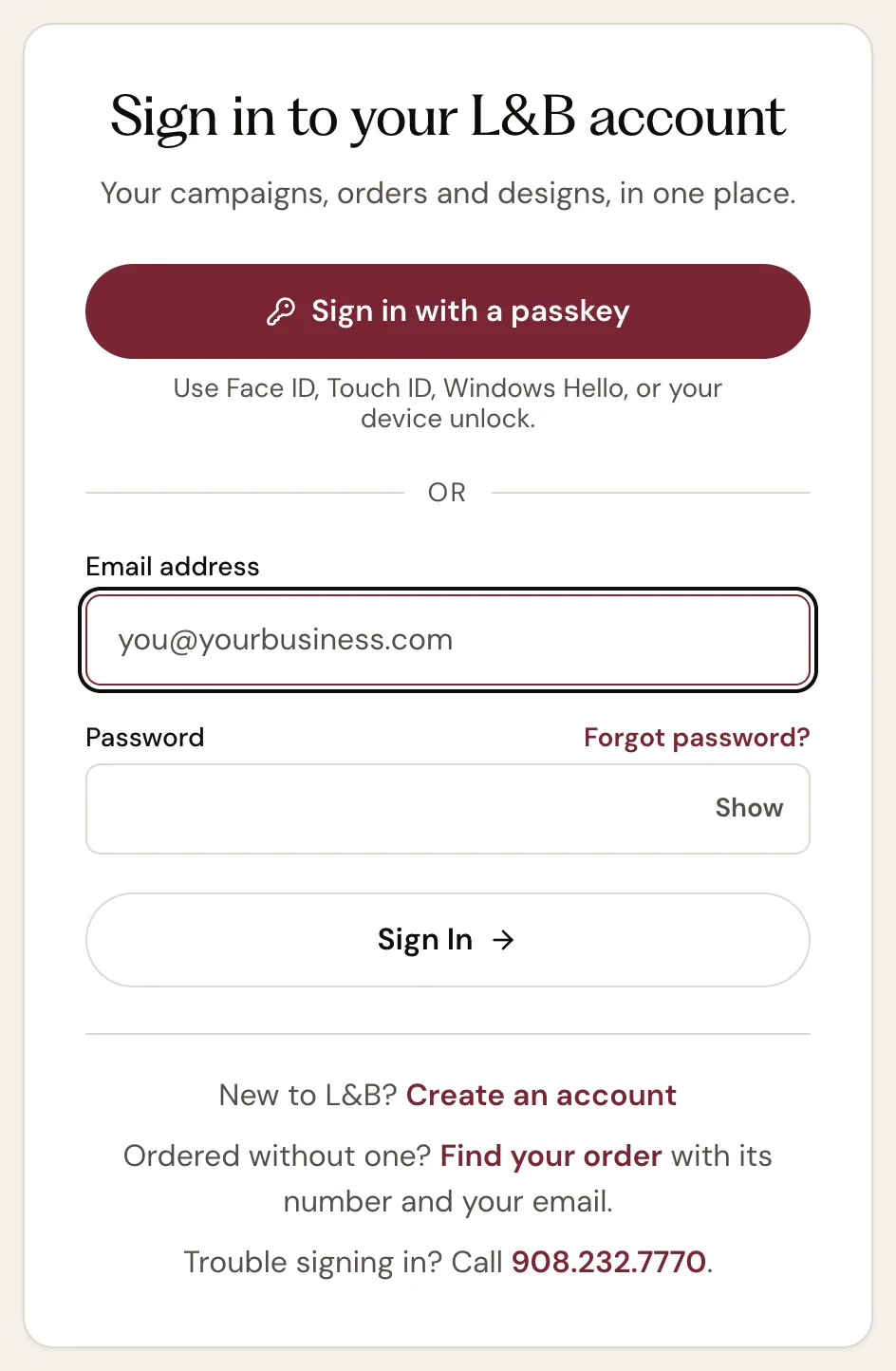
- A: Sign in with a passkey, if you set one up
- B: The email address you ordered with
- C: Your password
- D: Forgot password? sends a reset link
- E: Sign In
- F: Find your order: one order, no account needed
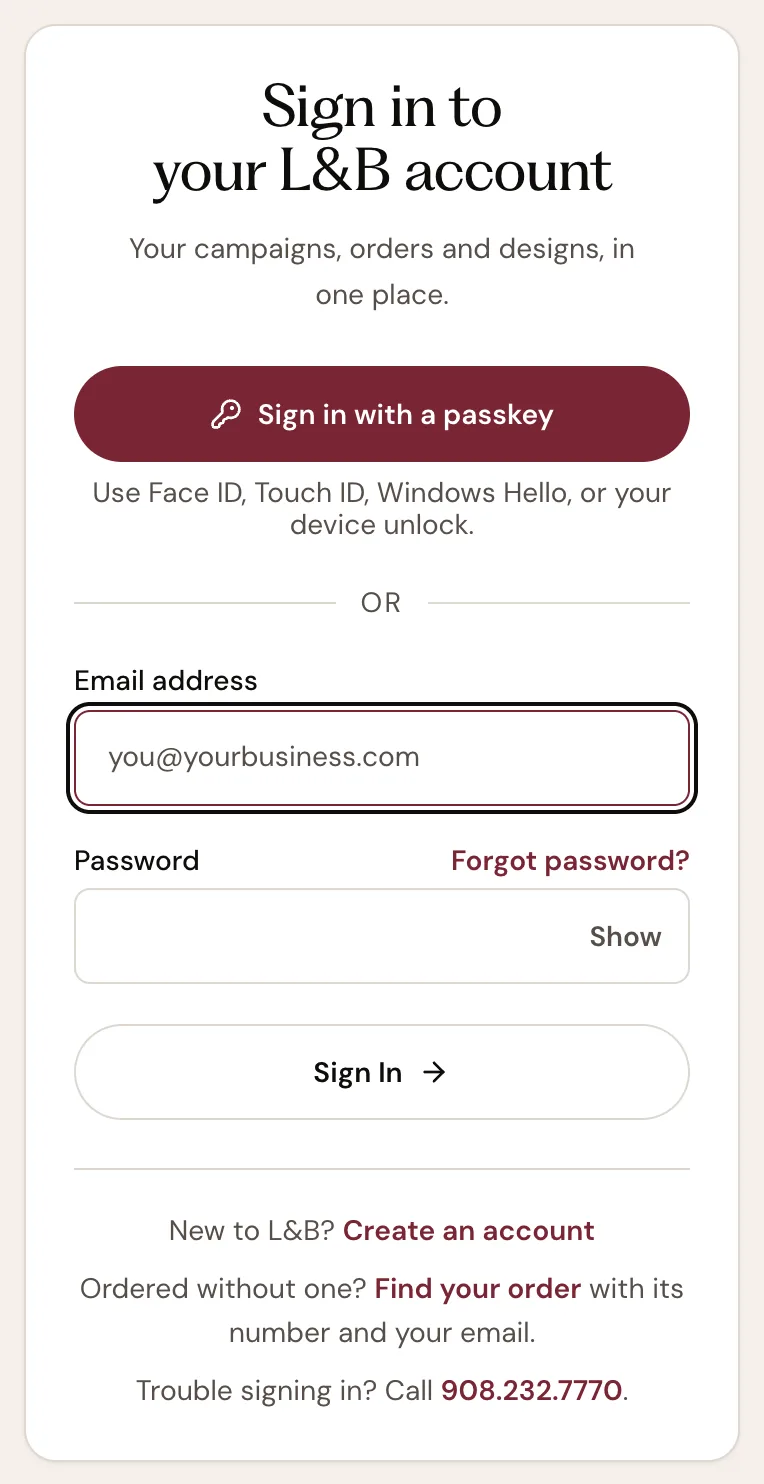
- A: Sign in with a passkey, if you set one up
- B: The email address you ordered with
- C: Your password
- D: Forgot password? sends a reset link
- E: Sign In
- F: Find your order: one order, no account needed
What you should see. Your account opens, with Orders in the account menu — or, from Find your order, the order's own status page.
Step 2: Open Orders
In the account menu choose Orders. Every order you have placed is listed with what it was, the quantity, the total, the date and its status in plain words. The small bar beside the status shows which stage the order is at, such as 2 of 4. The filters show only Active, Completed or Cancelled orders.
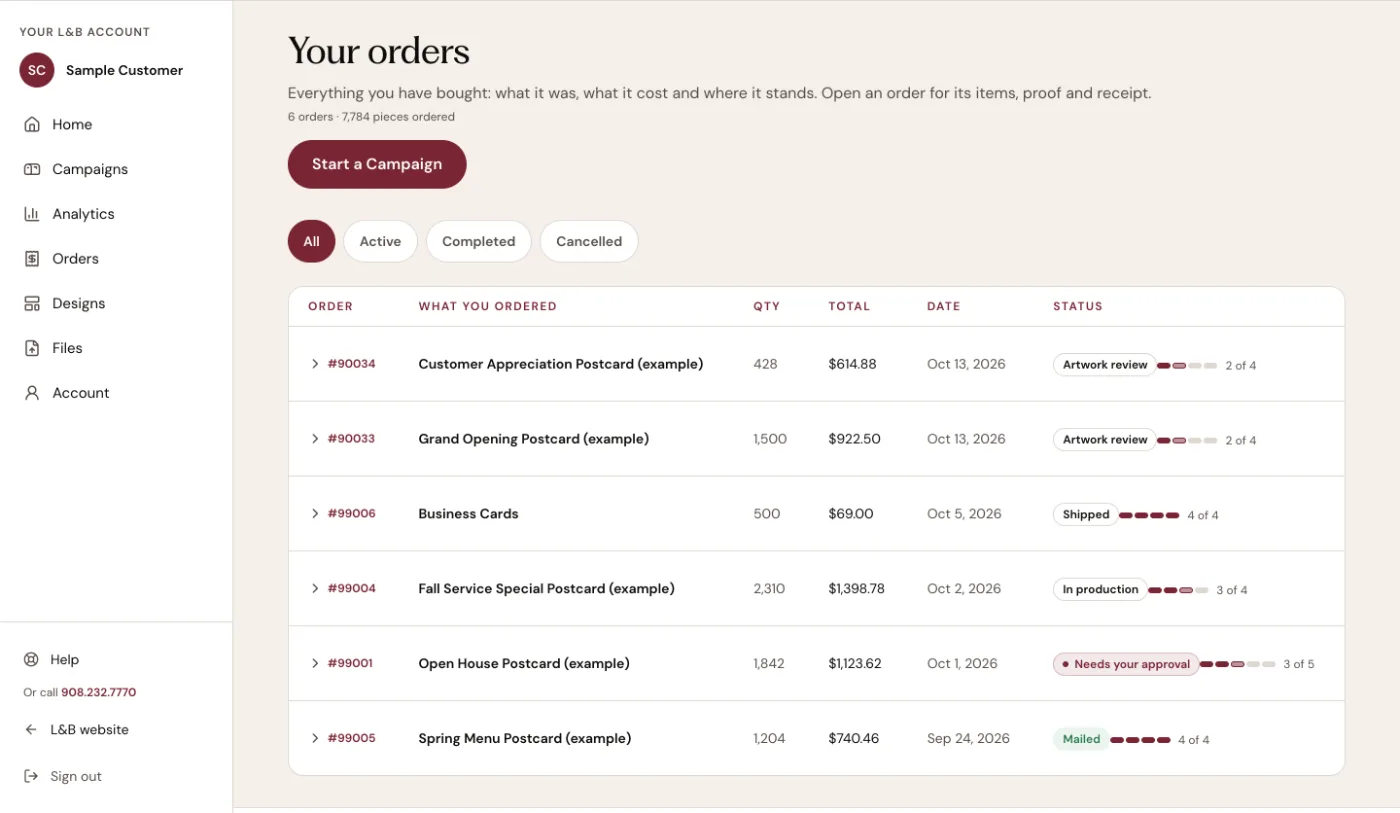
- A: Orders, in the account menu
- B: Filters: All, Active, Completed, Cancelled
- C: The order number: click it to open the order
- D: The status, in plain words
- E: Which stage the order is at, for example 2 of 4
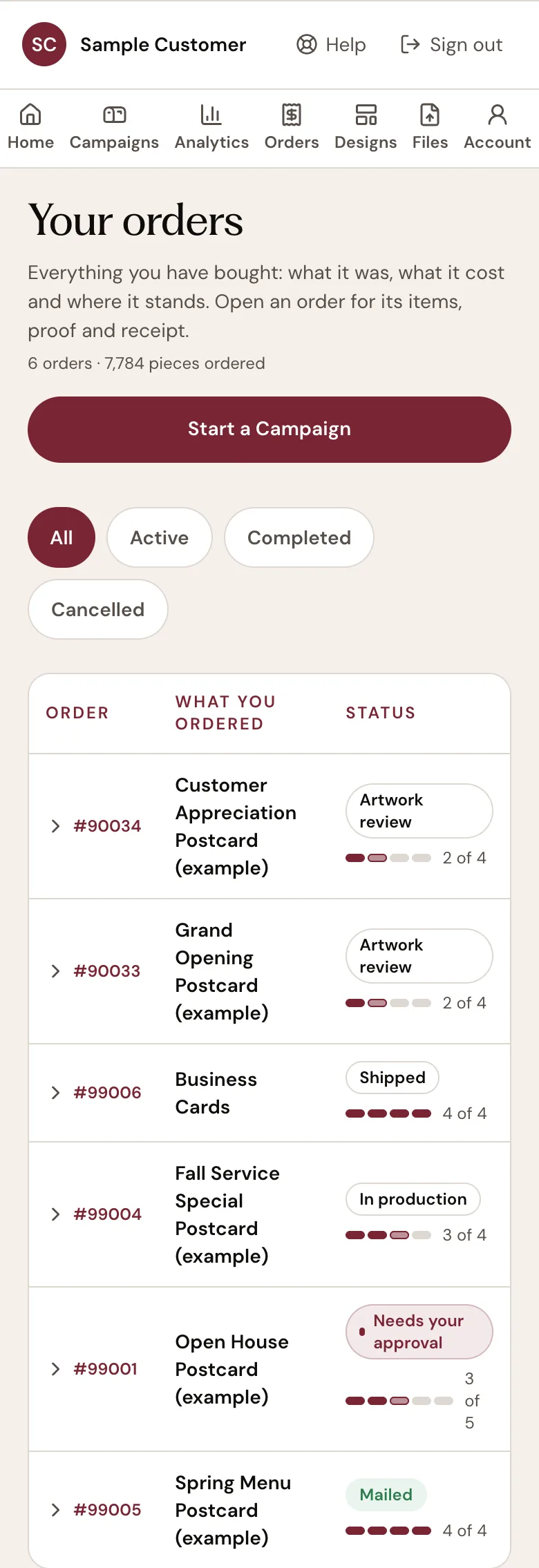
- A: Orders, in the account menu
- B: Filters: All, Active, Completed, Cancelled
- C: The order number: tap it to open the order
- D: The status, in plain words
- E: Which stage the order is at, for example 2 of 4
The orders, names, dates and prices shown are examples; yours are your own. What you should see. A row for every order, each with a status and a progress bar.
Step 3: Open the order
Click the order number, or anywhere on its row. The row opens beneath it: Where it is, the stage-by-stage timeline, and Campaign files, the front and back of your piece. For a mailing, View the campaign: audience, mailing and scans opens the campaign page, which has the same timeline, the mailing facts and any recorded QR activity.
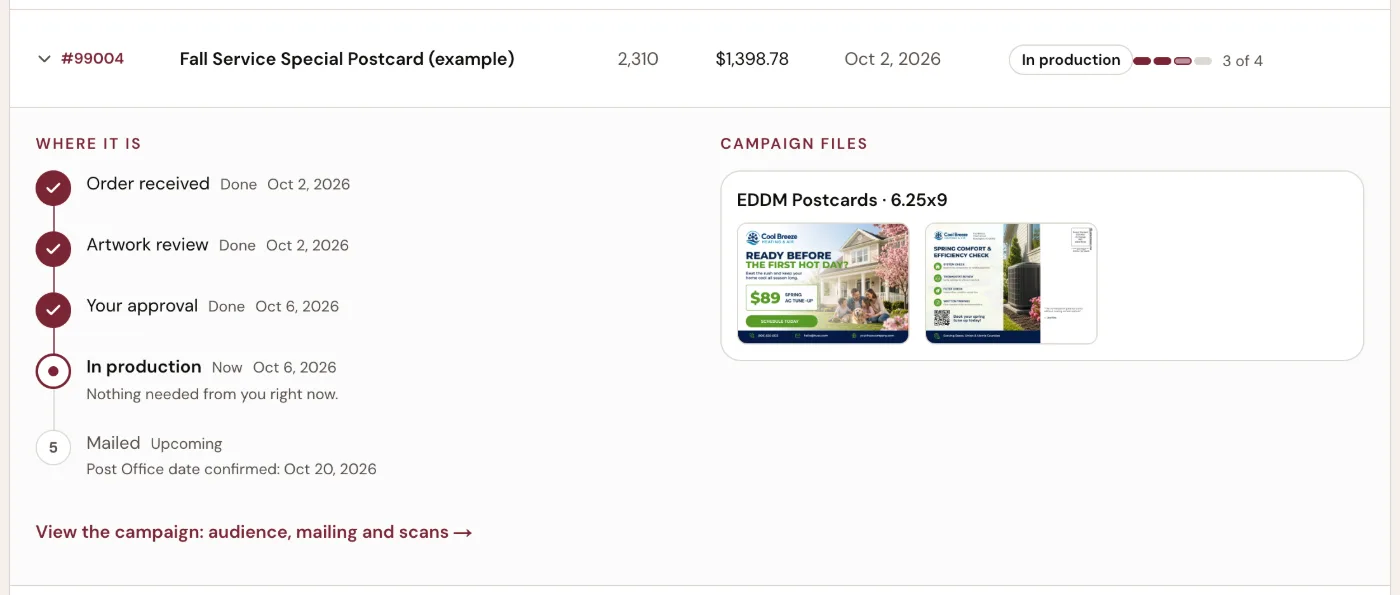
- A: The open order; click again to close it
- B: Where it is: the timeline
- C: The current stage
- D: Campaign files: the front and back of your piece
- E: The campaign page: audience, mailing dates and scans
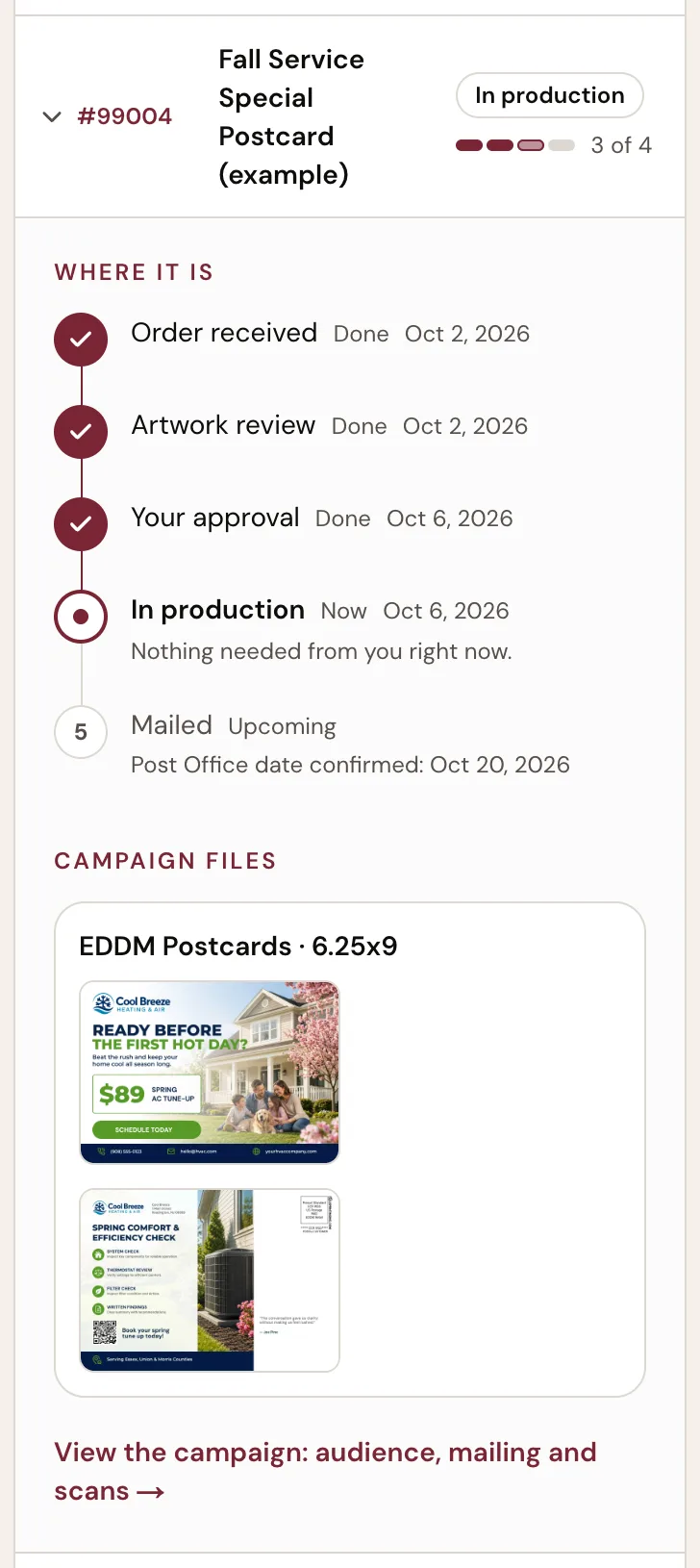
- A: The open order; tap again to close it
- B: Where it is: the timeline
- C: The current stage
- D: Campaign files: the front and back of your piece
- E: The campaign page: audience, mailing dates and scans
The orders, names, dates and prices shown are examples; yours are your own. What you should see. The timeline under Where it is, with one stage marked as the current one.
Step 4: Read the timeline
Each stage carries one word that says where it stands: Done (it happened, with the date it was recorded), Now (where the order is), Needs your action (a step that waits for you), Upcoming (not reached yet) or Not happening (a stage that will not happen, on a cancelled or refunded order). A date appears only when it was recorded. Nothing on the timeline is a guess, and no stage promises when the next one happens. The table above says what each stage means.
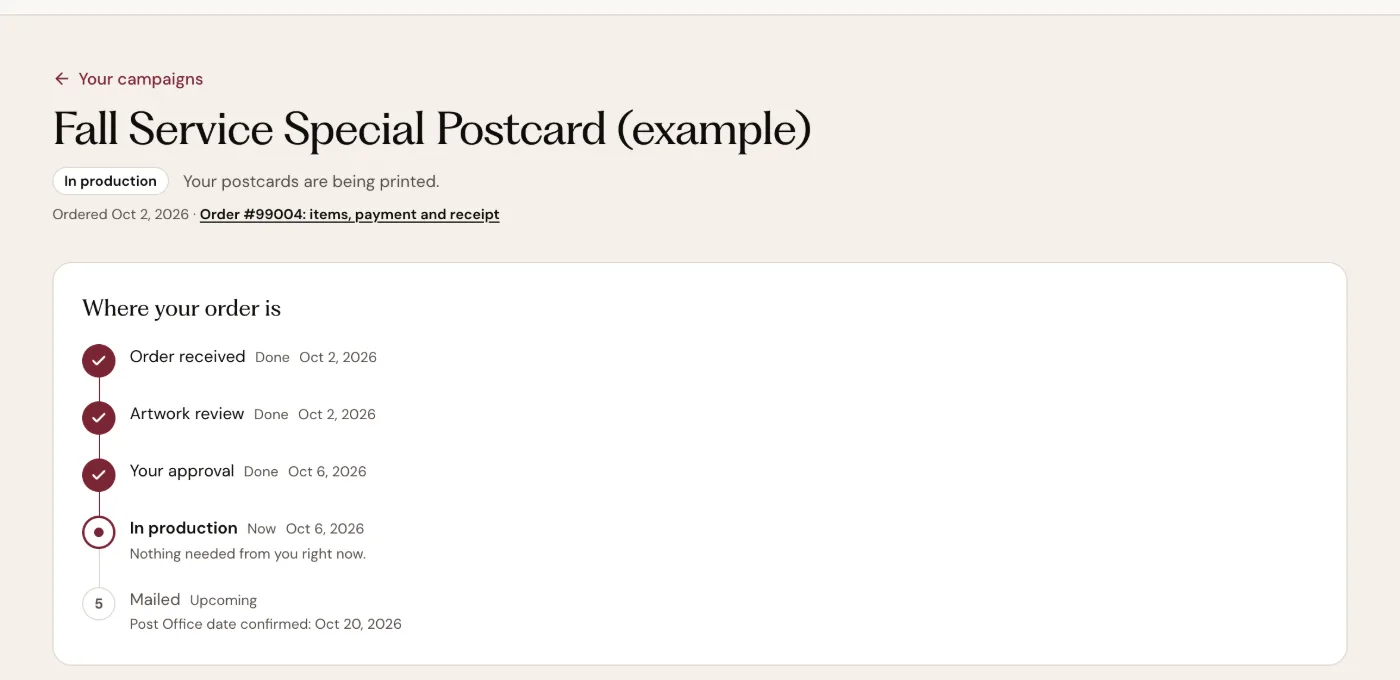
- A: The status, with what it means
- B: The order itself: items, payment and receipt
- C: Where your order is
- D: A stage that happened, with the date it was recorded
- E: The current stage, and whether it needs you
- F: The handoff, upcoming; its date appears only once L&B confirmed it
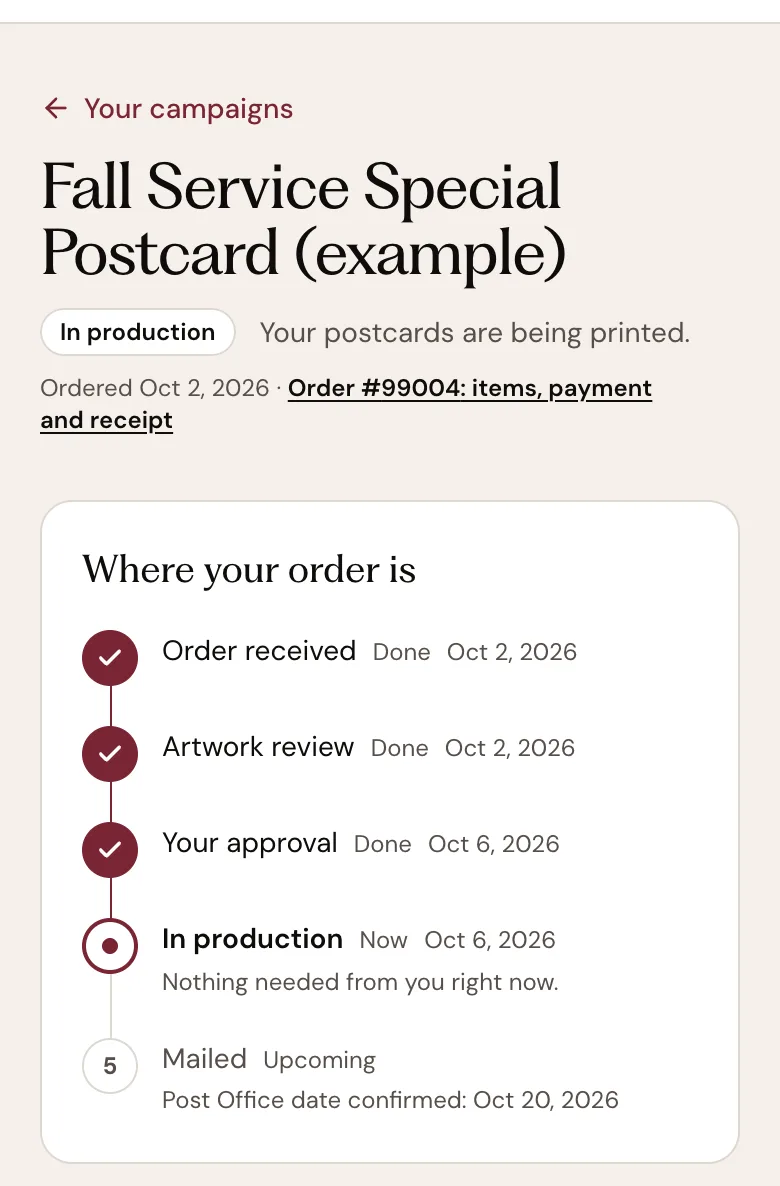
- A: The status, with what it means
- B: The order itself: items, payment and receipt
- C: Where your order is
- D: A stage that happened, with the date it was recorded
- E: The current stage, and whether it needs you
- F: The handoff, upcoming; its date appears only once L&B confirmed it
The orders, names, dates and prices shown are examples; yours are your own. What you should see. One stage marked Now or Needs your action; the stages before it Done with their dates; the ones after it Upcoming.
Step 5: Check the mailing dates
On the campaign page, Mailing facts lists the dates the order records, kept apart on purpose. Requested Post Office drop date is the date you asked for; its note reads "Requested, not confirmed. We'll confirm the date with you, and it is the day we hand the mailing over — not a delivery date.". Confirmed drop date is the day L&B confirmed for the handoff. Post Office handoff shows a date only once the mailing has been handed over. Mailing schedule sums them up in one line: No drop date requested, Requested — not yet confirmed, Confirmed by L&B or Handed to the Post Office.
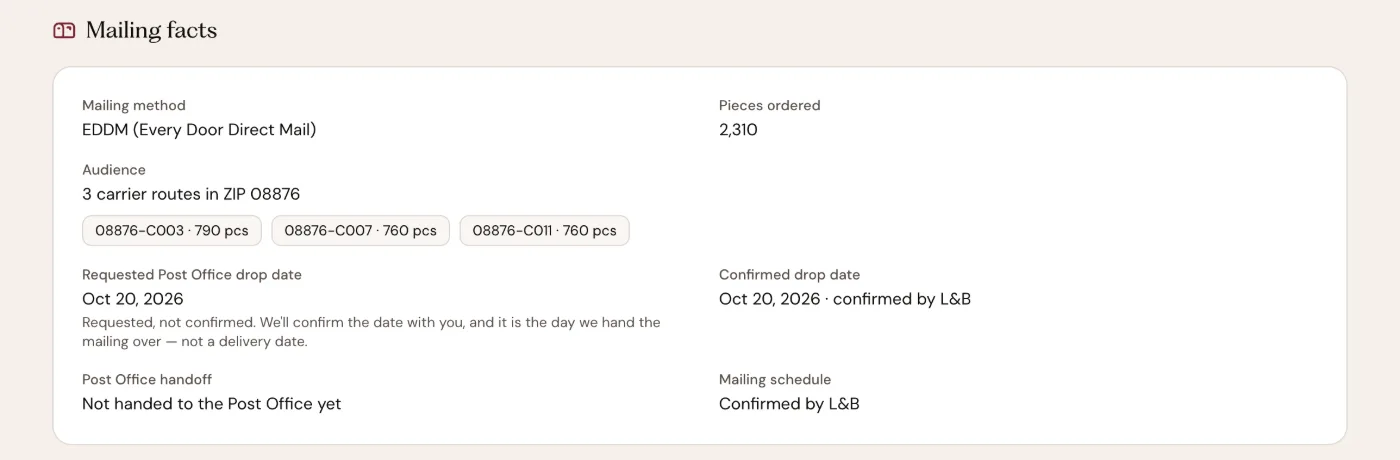
- A: Mailing facts
- B: The date you asked for, and what it does and does not mean
- C: The day L&B confirmed
- D: Filled in only once the mailing is handed over
- E: The schedule, in one line
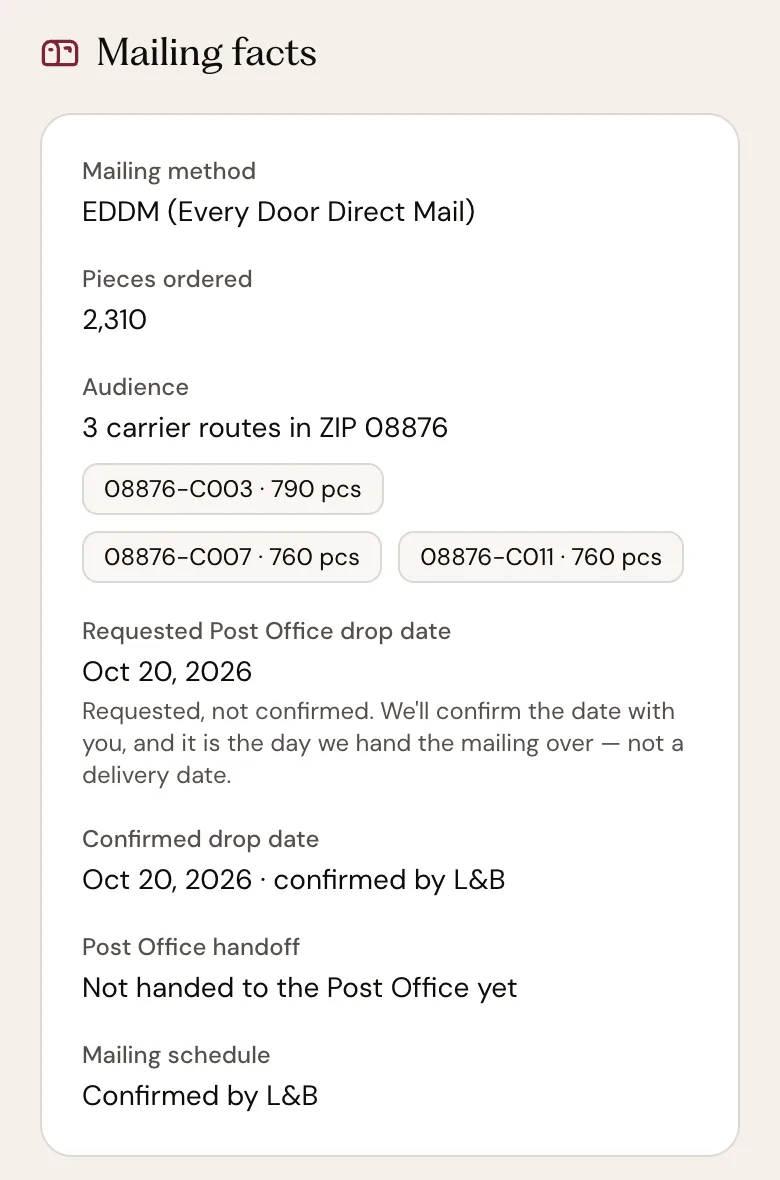
- A: Mailing facts
- B: The date you asked for, and what it does and does not mean
- C: The day L&B confirmed
- D: Filled in only once the mailing is handed over
- E: The schedule, in one line
The orders, names, dates and prices shown are examples; yours are your own. What you should see. Three date lines — requested, confirmed, handed over — each saying plainly whether it has happened.
Step 6: Act when a step is yours
The one step that waits for you is a proof. When L&B has reviewed your design and needs your answer, the status reads Needs your approval and the timeline marks Your approval as Needs your action, with Review your proof beneath it. Your proof is ready, at the top of the order, carries L&B's note and three answers: Use L&B’s Changes, Keep My Original, or Request Changes in your own words. Nothing prints until you answer. The review email carries the same three answers as links. When nothing waits for you, the current stage says "Nothing needed from you right now."
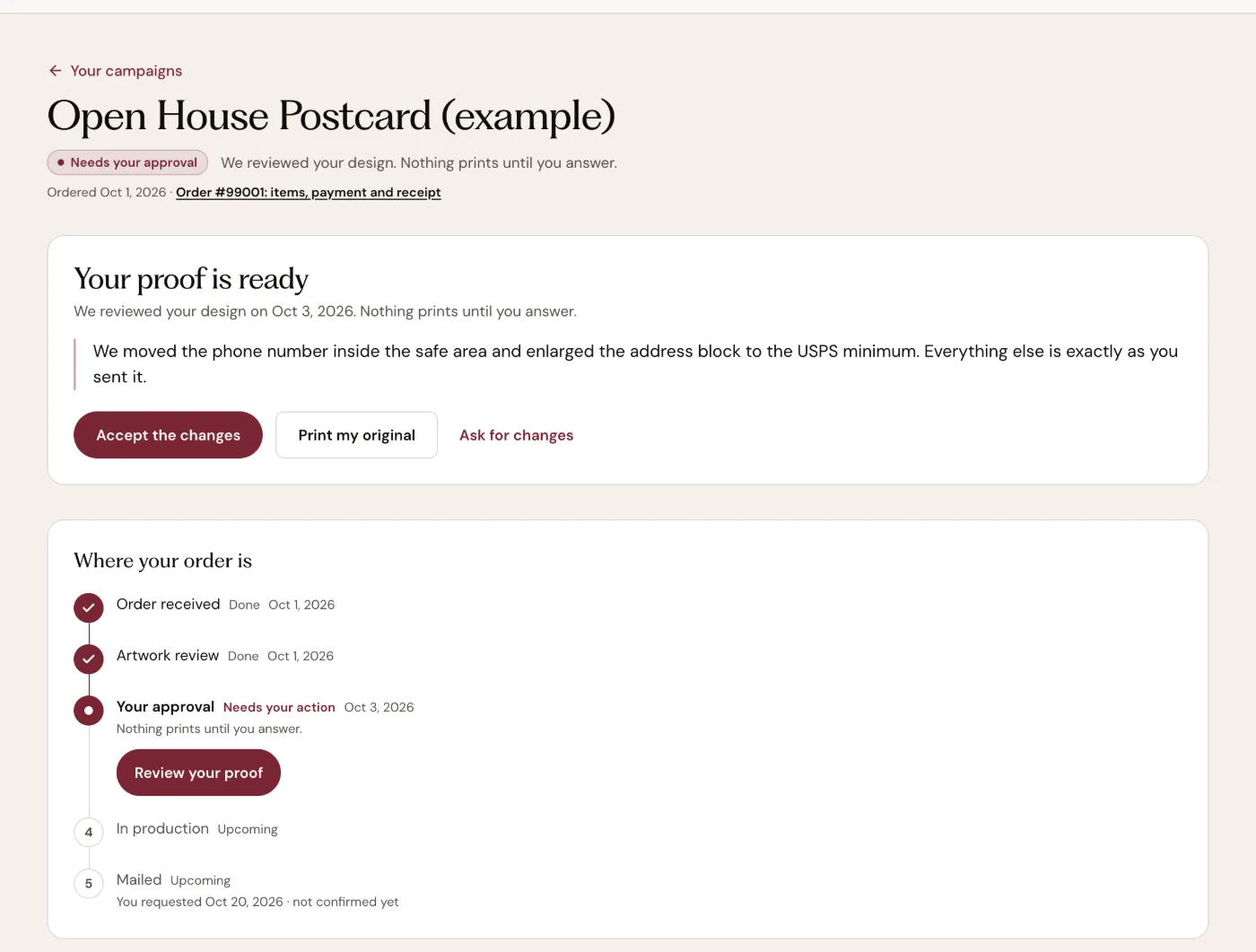
- A: Needs your approval
- B: Your proof is ready
- C: L&B's note about your design
- D: Accept the changes
- E: Print my original
- F: Ask for changes, in your own words
- G: Your approval · Needs your action
- H: Review your proof: the panel above
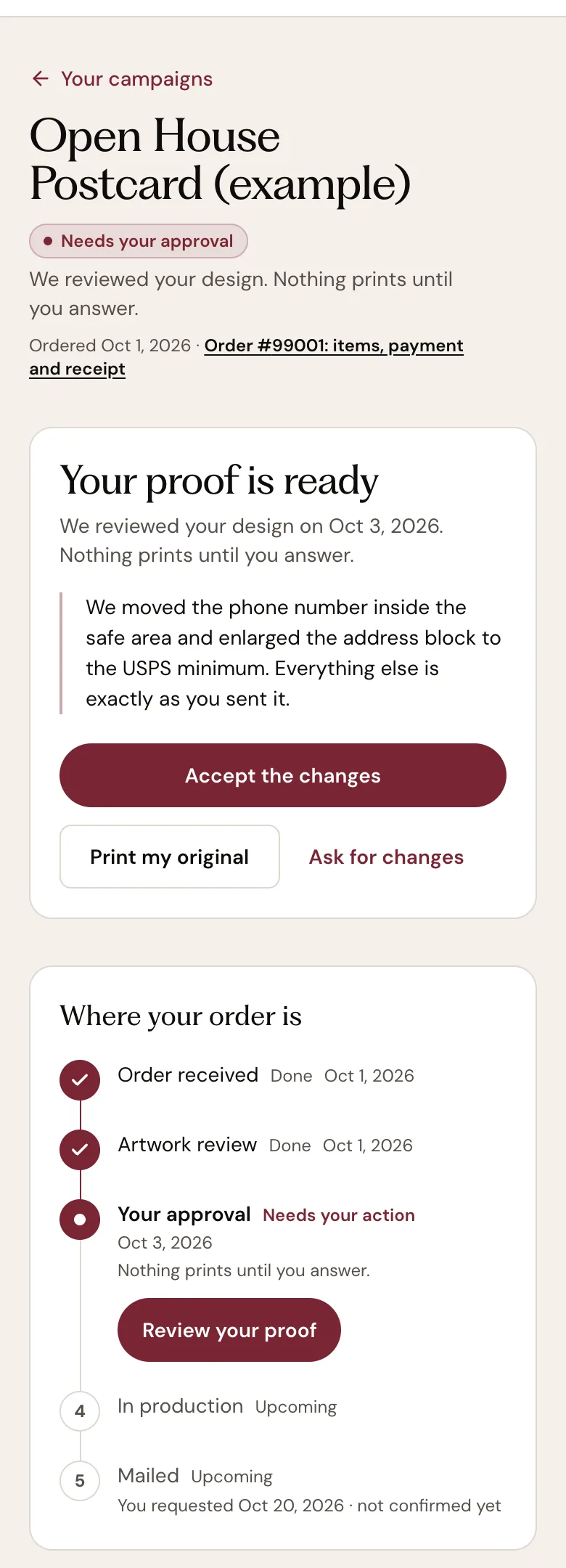
- A: Needs your approval
- B: Your proof is ready
- C: L&B's note about your design
- D: Accept the changes
- E: Print my original
- F: Ask for changes, in your own words
- G: Your approval · Needs your action
- H: Review your proof: the panel above
The orders, names, dates and prices shown are examples; yours are your own. What you should see. After you answer, a thank-you replaces the panel and the order moves on. You get an email when it is in production.
Step 7: Mailed means handed to the Post Office
When every stage is Done and the last one reads Mailed, L&B handed the mailing to the Post Office on the date shown, and the status says so in words: "Handed to the Post Office on …". From here USPS controls delivery. L&B cannot see every postcard reach every mailbox, so the Post Office handoff is the last thing the account records for a mailing; it never shows a delivered date.
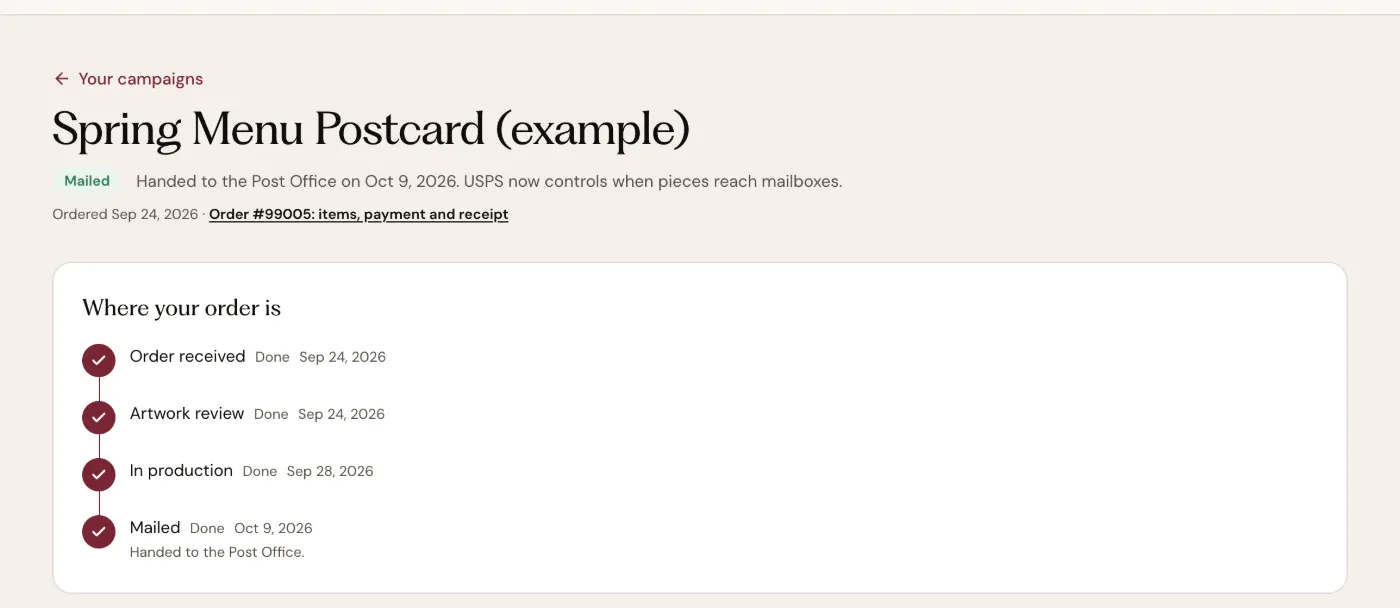
- A: Mailed: what it means, in words
- B: Mailed · Done, with the handoff date
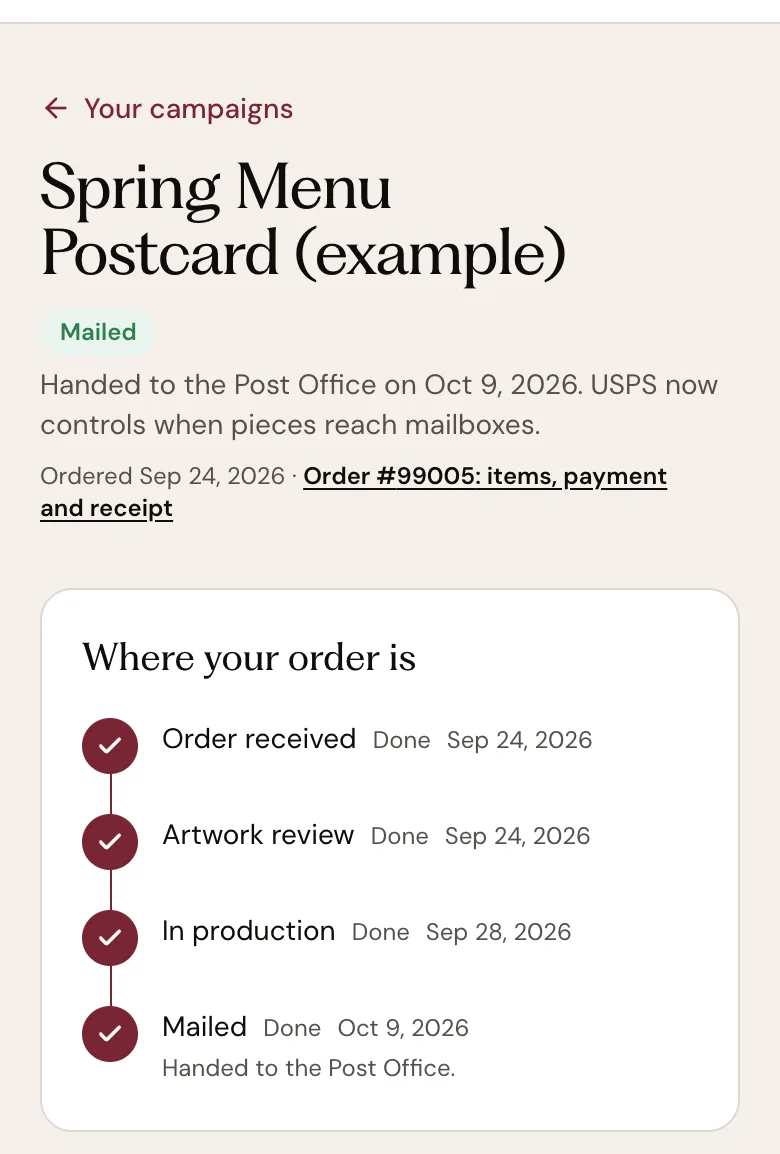
- A: Mailed: what it means, in words
- B: Mailed · Done, with the handoff date
The orders, names, dates and prices shown are examples; yours are your own. What you should see. Mailed · Done, with the handoff date and "Handed to the Post Office."
If something goes wrong
I don't have an account.
Use Find your order: enter the order number from your confirmation email and the email you used at checkout, and the order's status page opens with the same timeline. An account is not required. If you would like one, Create an account on the sign-in page keeps every order in one place.
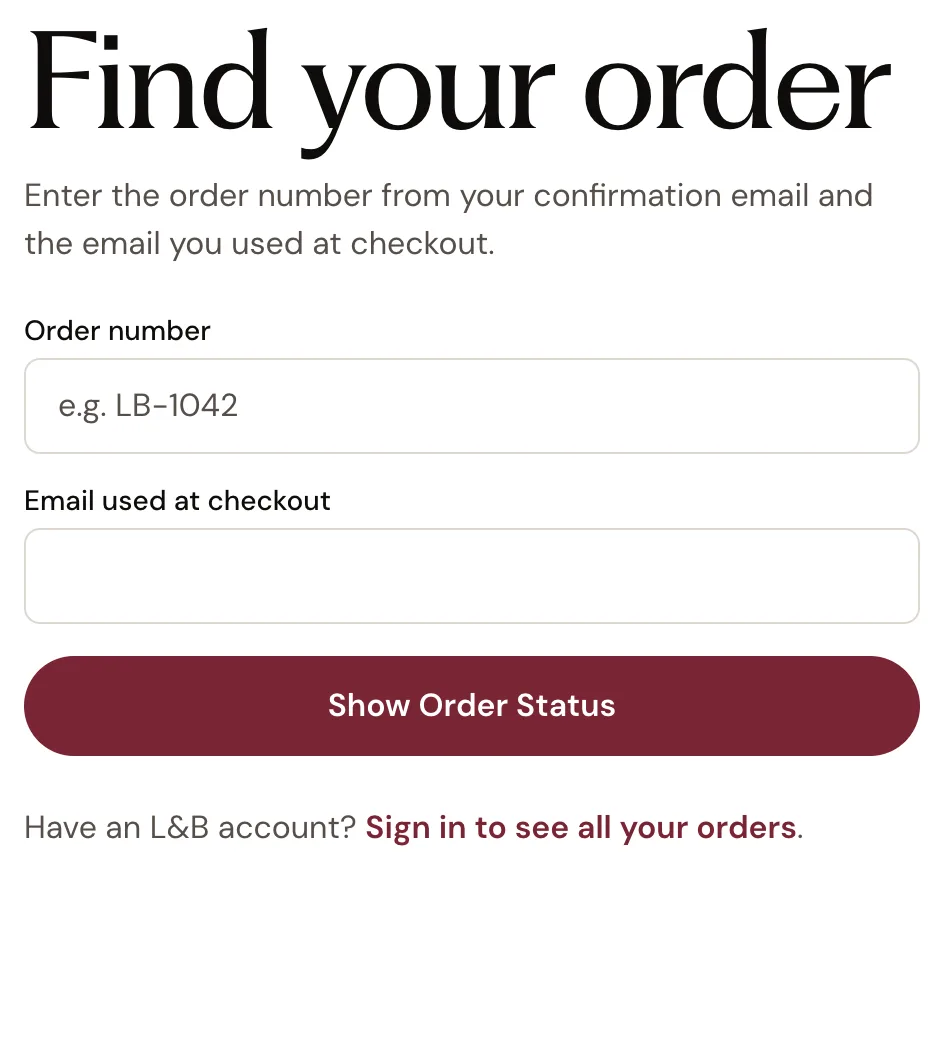
- A: The order number, as the confirmation email prints it
- B: The email you used at checkout
- C: Show Order Status
- D: With an account: sign in instead
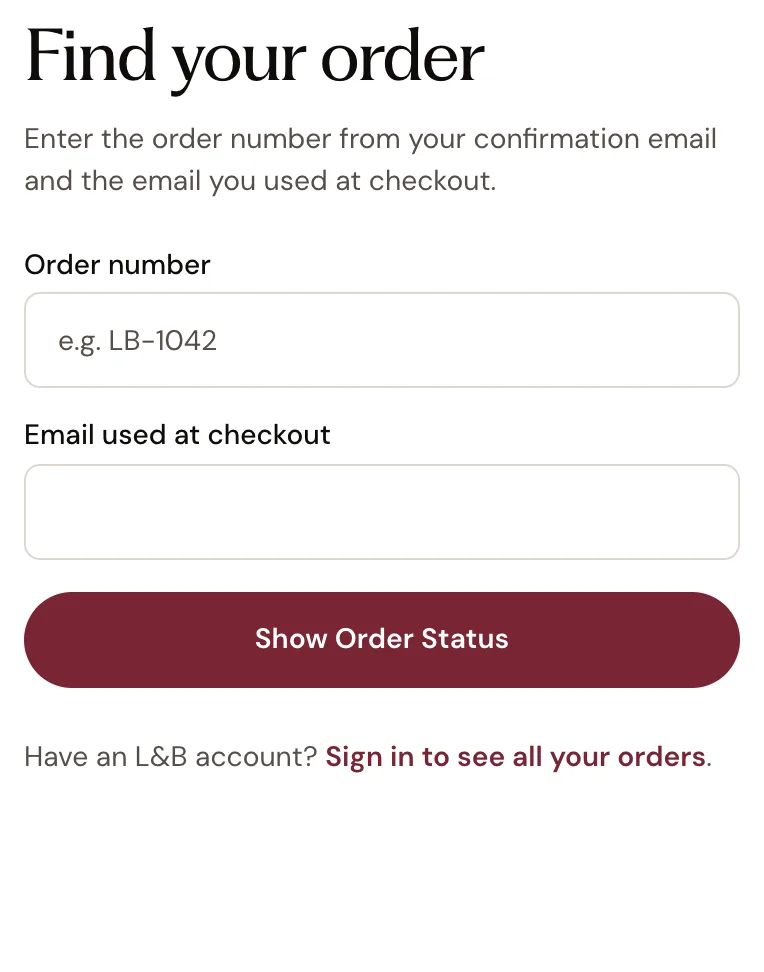
- A: The order number, as the confirmation email prints it
- B: The email you used at checkout
- C: Show Order Status
- D: With an account: sign in instead
I can't find my order.
An order belongs to the email address used at checkout. If Find your order answers "We couldn't find an order with that number and email…", check both against the confirmation email: the number exactly as it is printed there, and the email you paid with. Signed in and the order is missing? It may belong to a different email address; every order placed with this account is on your orders page. Still missing? Call L&B at 908.232.7770 with the order number. A missing confirmation email does not mean a missing order, so call before ordering again.
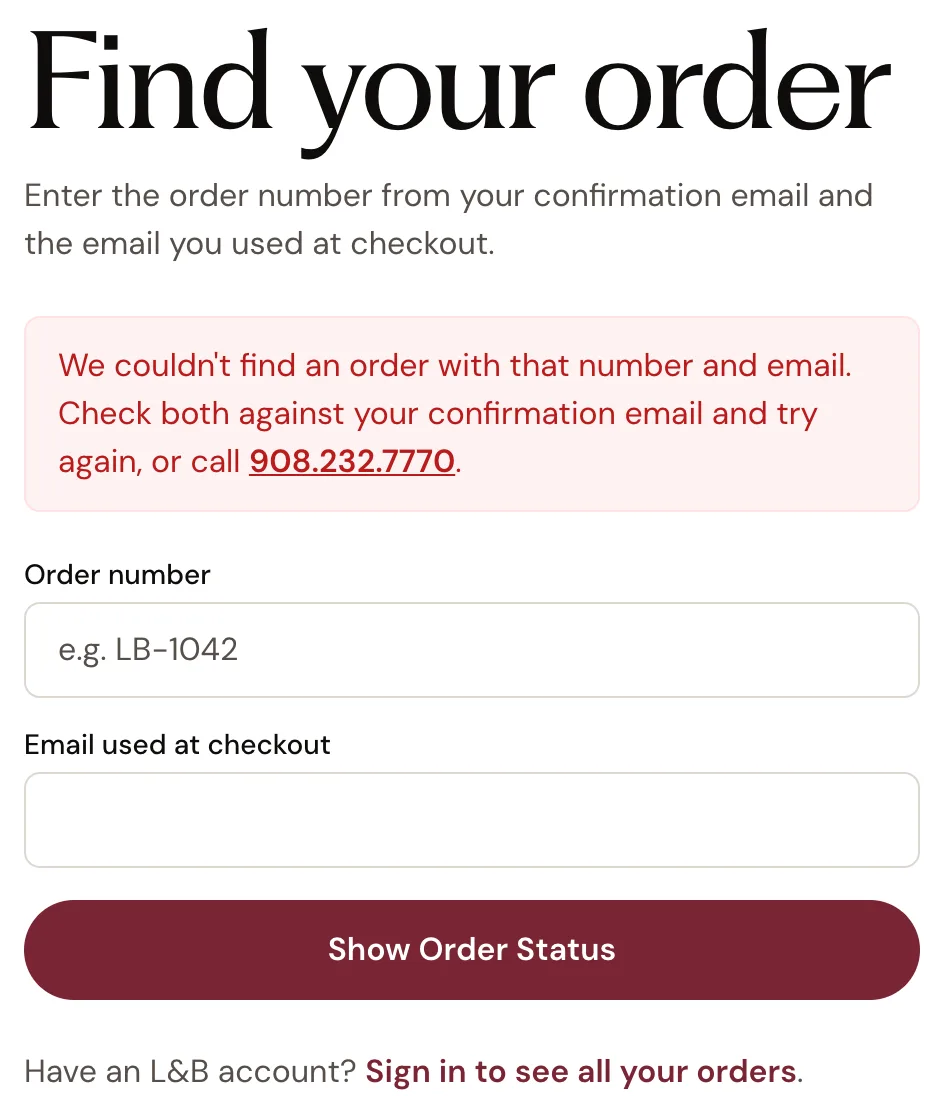
- A: What the lookup could not find
- B: Check the number against the confirmation email
- C: Check the email you paid with
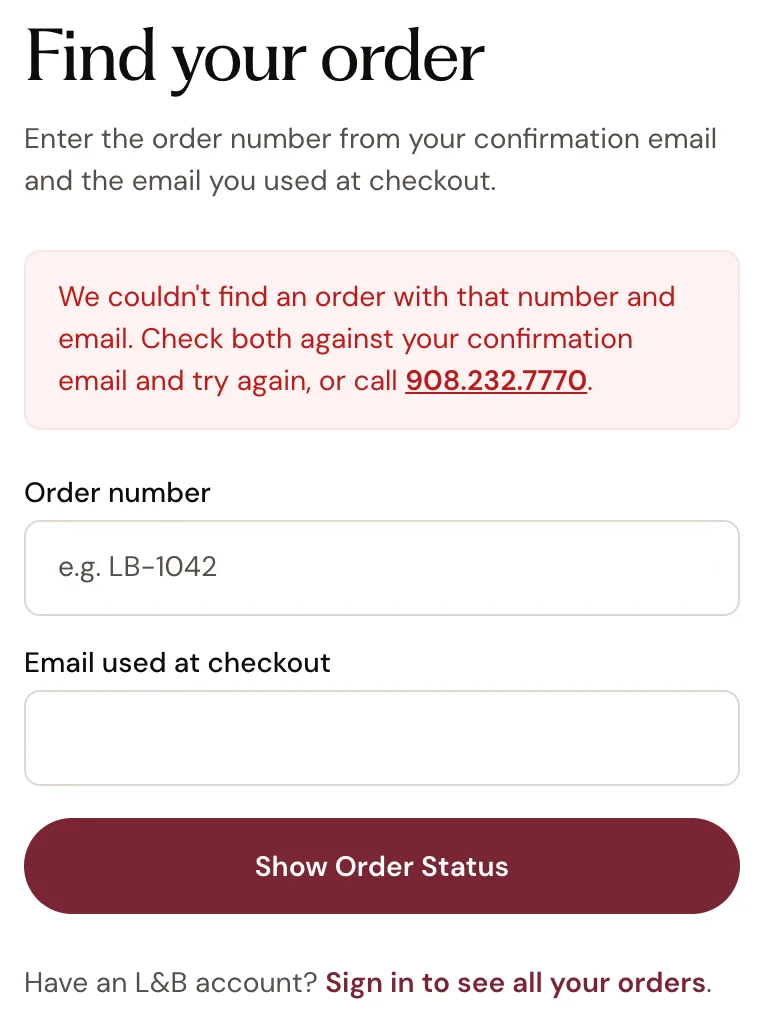
- A: What the lookup could not find
- B: Check the number against the confirmation email
- C: Check the email you paid with
The status says Artwork review and has not changed.
L&B is checking the artwork for this order. An L&B Direct Mail Expert reviews every direct-mail file before it goes to print. A status is not a schedule: none of them promises when the next step happens. If L&B needs anything from you, you hear from us — a proof in your account and by email, or a call. If the status looks stuck, contact L&B with the order number.
What does my order status mean?The status says Needs your approval.
Your proof is ready. Answer it in your account or from the review email. Nothing prints until you do. Open the order: Your proof is ready sits at the top with L&B's note and the three answers, and the review email carries the same answers as links. Use the links in your review email to answer.
What does approving my artwork mean?I want to send a different file.
If a proof is waiting, choose Request Changes on it and say what to change; the order then shows "We have your answer. Your file is back with L&B." Before a proof, changes go through a person: call 908.232.7770 or use the contact form with the order number and what you need, and send the replacement through Files in your account.
Can I change my order after placing it?The status says Mailed, but nobody has received a postcard yet.
Your mailing has been handed to the Post Office. This is not delivery: USPS now controls when the pieces reach mailboxes. The date beside Mailed, and Post Office handoff under Mailing facts, is the day the mailing was handed over — not the day it reaches mailboxes. Postal delivery time depends on the mail class and USPS network, and it is not guaranteed by L&B. Scans from an L&B tracked QR code can show up later in your account; they show scans, not delivery.
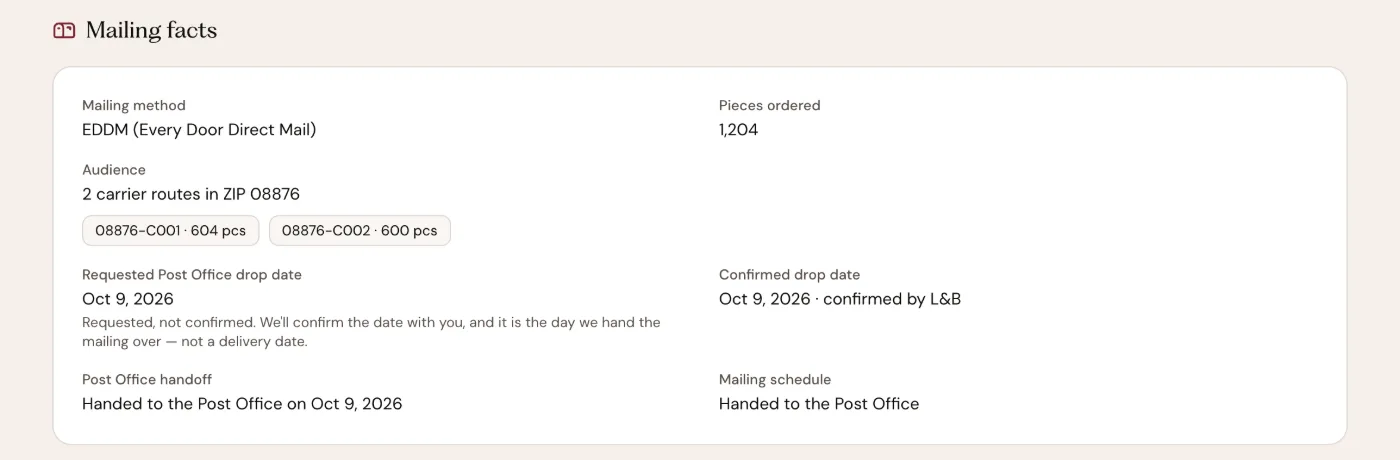
- A: The day the mailing was handed over
- B: The schedule, in one line
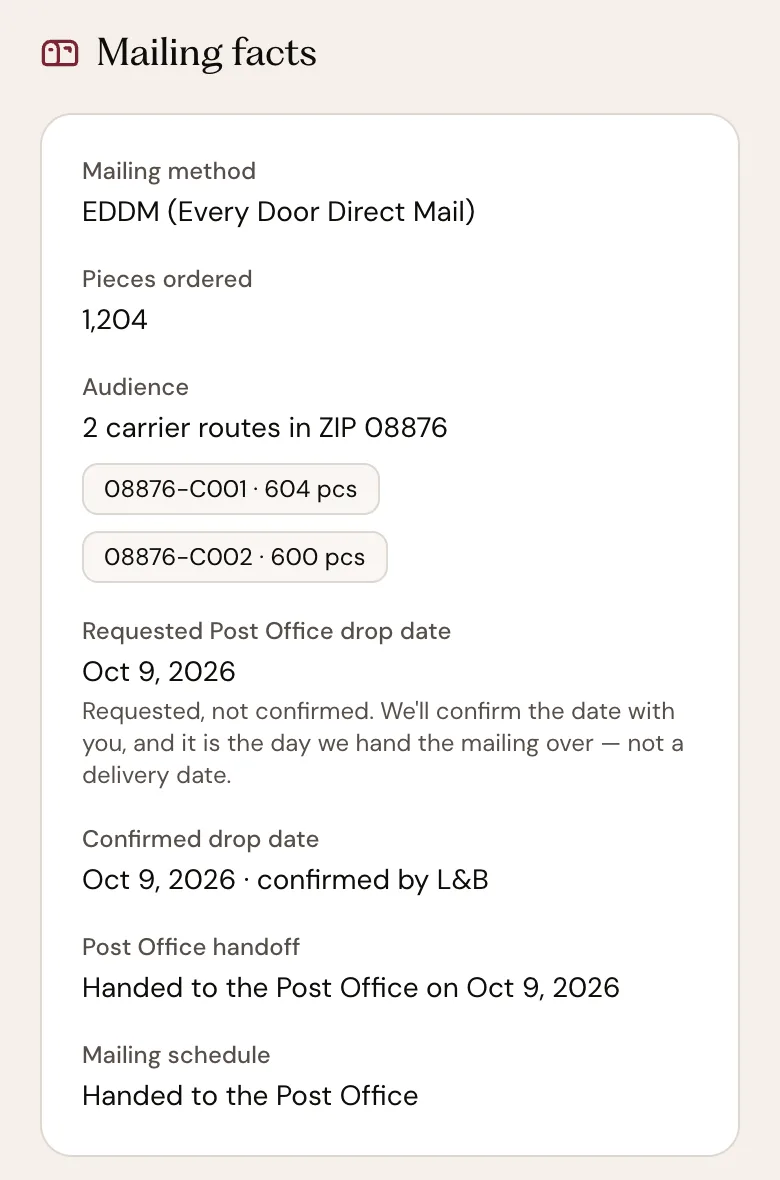
- A: The day the mailing was handed over
- B: The schedule, in one line
The date I requested has passed and the status still says In production.
The requested mailing date is a request for campaign timing, not a confirmed date. Mailing facts shows whether L&B confirmed it, and the Post Office handoff line fills in on the day the handoff happens. L&B does not publish one combined order-to-mailbox guarantee. If a date matters for your campaign, contact L&B with the order number.
What does “requested mailing date” mean?A stage says Not happening.
The order was cancelled or refunded: "This order was cancelled." or "This order was refunded." shows beneath the timeline, the stages that happened stay Done, and the rest are marked Not happening. Whether an order can be cancelled depends on whether L&B has already committed production, postage or other costs that cannot be recovered.
Can I cancel my order?The timeline is one line: "We'll update this as your order moves."
The order is in a state the stages cannot place honestly — for example a print-only status on a mailing — so the account shows the status word alone rather than a guessed stage. The status is still right. If it stays that way, contact L&B with the order number.
Contact L&B"We couldn't load your orders just now."
"You're still signed in, and nothing in your account has changed. This is usually a brief connection problem on our side." Press Try again, or reload the page. If it keeps failing, call 908.232.7770.
I can't sign in.
Use Forgot password? on the sign-in page. The reset link expires after an hour, so request a fresh one if yours has been sitting in your inbox. If no reset email comes, check spam and confirm which email address the account uses. Without an account, Find your order still shows one order's status.
I cannot sign inNext
- Open your ordersSign in if you are not already; you come back to Orders.
- Find an order without an accountThe order number from your confirmation email and the email you used at checkout.
- See every mailing and what it needsYour campaigns, the ones waiting for your answer first.
- Send L&B a fileA replacement or an extra file; tell L&B which order it belongs to.
- Contact L&B with your order numberOr call 908.232.7770.